Smart Builder - Generate native apps with a single click
Smart Builder is part of DevSpace - developer platform to build HTML5/Javascript apps with native device/hardware functionality.
Smart Builder generates native applications from your Applet code. It converts your HTML5 app to native Tizen, webOS, Android, Windows, Linux, ChromeOS, Linux, and other apps with a single click.
Overview
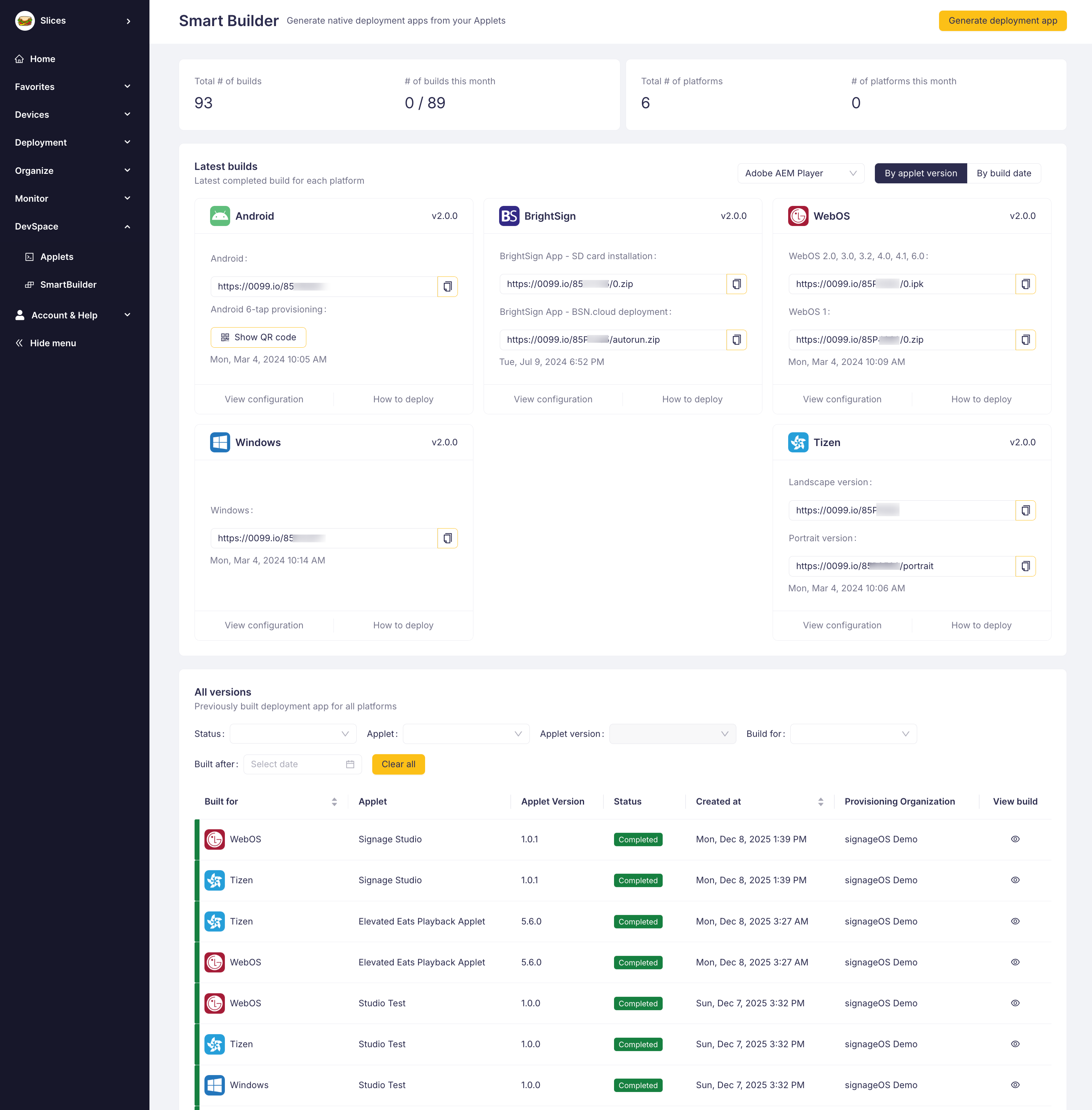
Smart Builder is located in DevSpace section of Box. Based on your DevSpace subscription you are entitled to build defined number of apps for selected operating systems and platforms. Smart Builder page provides you information about current builds usage, latest builds and direct installation URLs and executables.
Smart Builder is your final destination of your Applet development project.
Building new native app
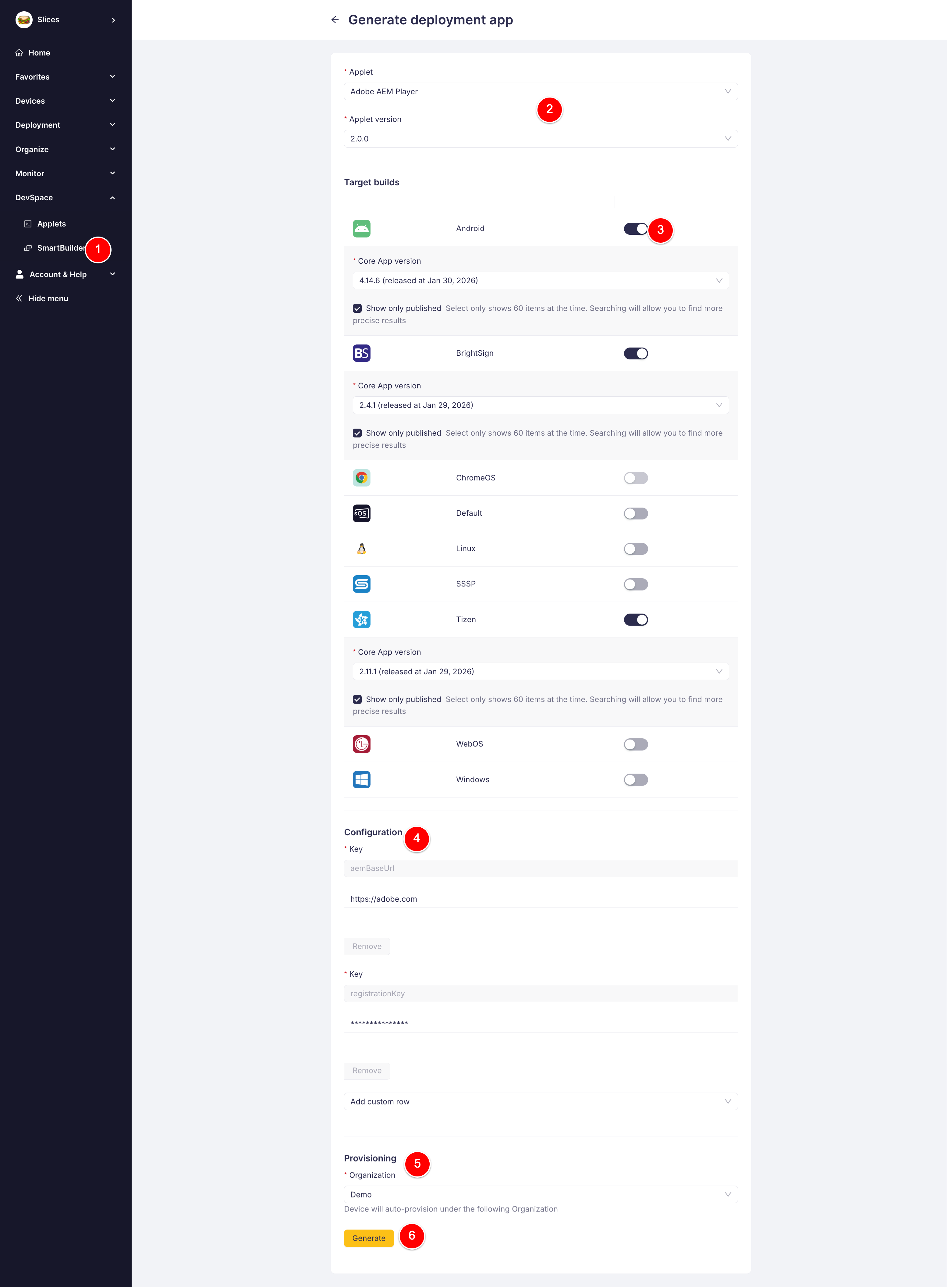
Smart Builder is used once you complete your Applet development and you are ready to deploy it in the field. Continue by selecting which native apps you need:
- Click on Generate deployment app
- Select your Applet and it's version
- Toggle which native apps you want to build and based on which CoreApp base (typically go for the latest one)
- Add any additional configuration
- Select under which Organization the device should be registered
- Press generate
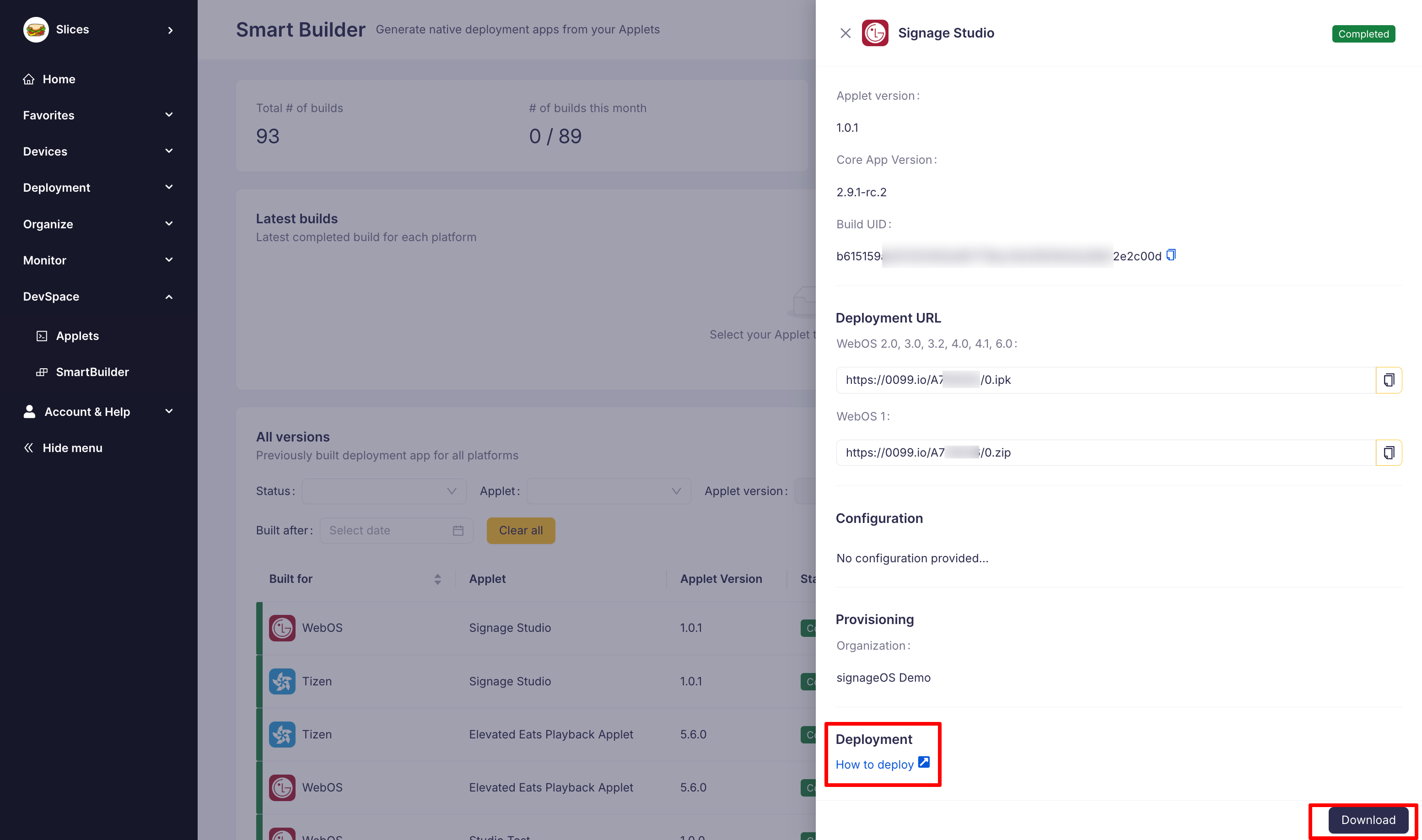
The process can take up to 30 mins depending on number of applications, complexity of your applet and priority. You can observe the process in the All versions table. Once the build is completed click on it and see install guide for provisioning or download the executable for distribution.
Follow our provisioning guides to understand how to install the application on supported devices.
How to test Applet without using all your builds
Uploading applet versions via CLI or REST API is free and unlimited. Only generating native apps through Smart Builder consumes your build quota.
While building your Applet you do not need to generate deployment apps every time you do a code change. Smart Builder should be used solely for last-mile delivery and application deployment. To test and troubleshoot your Applet use any of those methods:
- Local development using Emulator
- Connect physical device to your computer and send applet directly to it
- Use your Test organization and assign new Applet versions using CloudControl Timings
For the complete development workflow including CI/CD integration, see the Applet Development Workflow guide.