Package Installation
Install on one device
-
Open the device detail page from Devices list
-
Go to Packages Tab
-
Click Install package and select Package and it's version you want to install
-
Package is installed
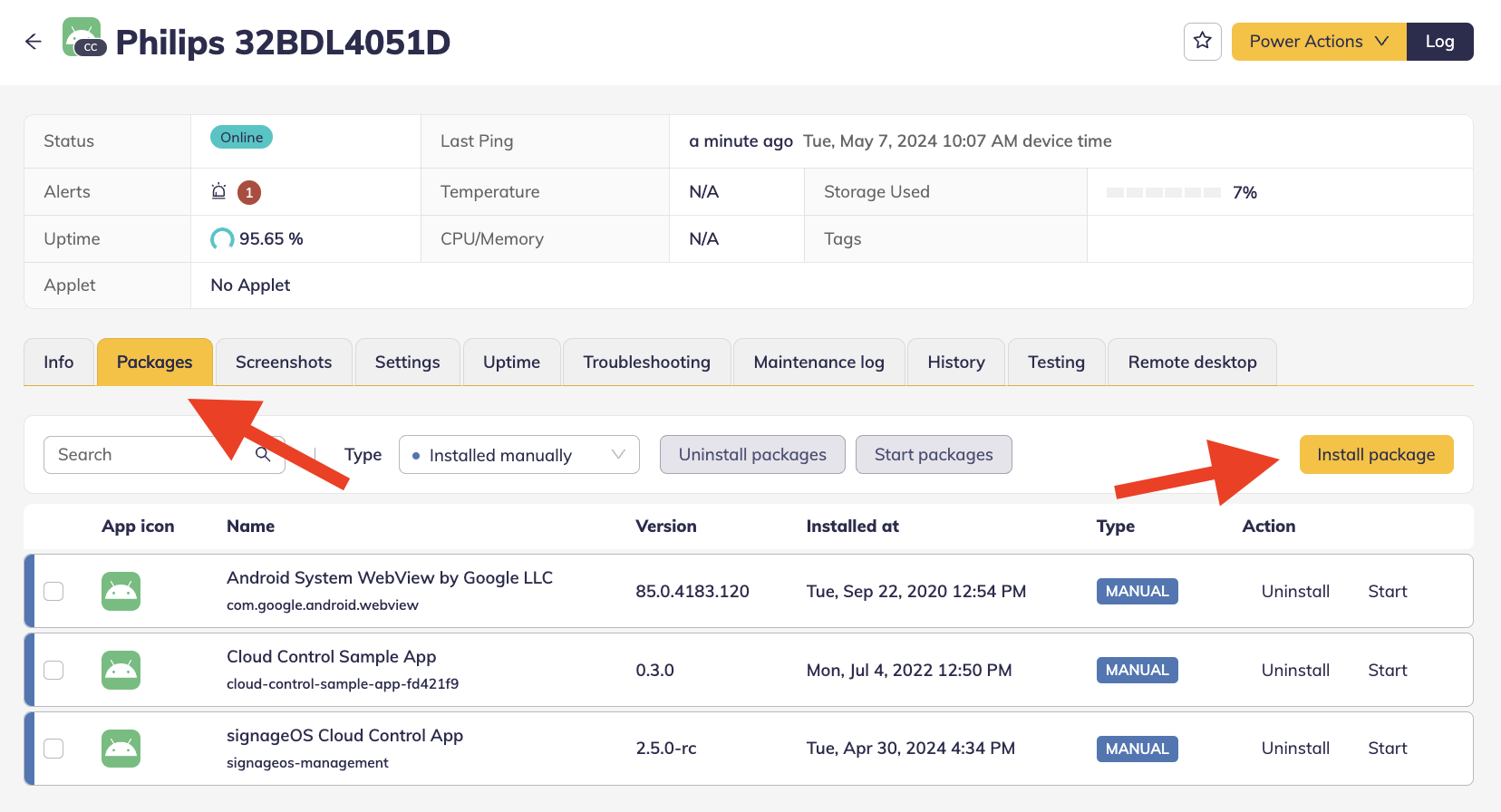
If you wish to launch a specific package, select the desired package and click Start packages button.
In addition, you can search or filter Installed packages on your device for better management of all your packages.
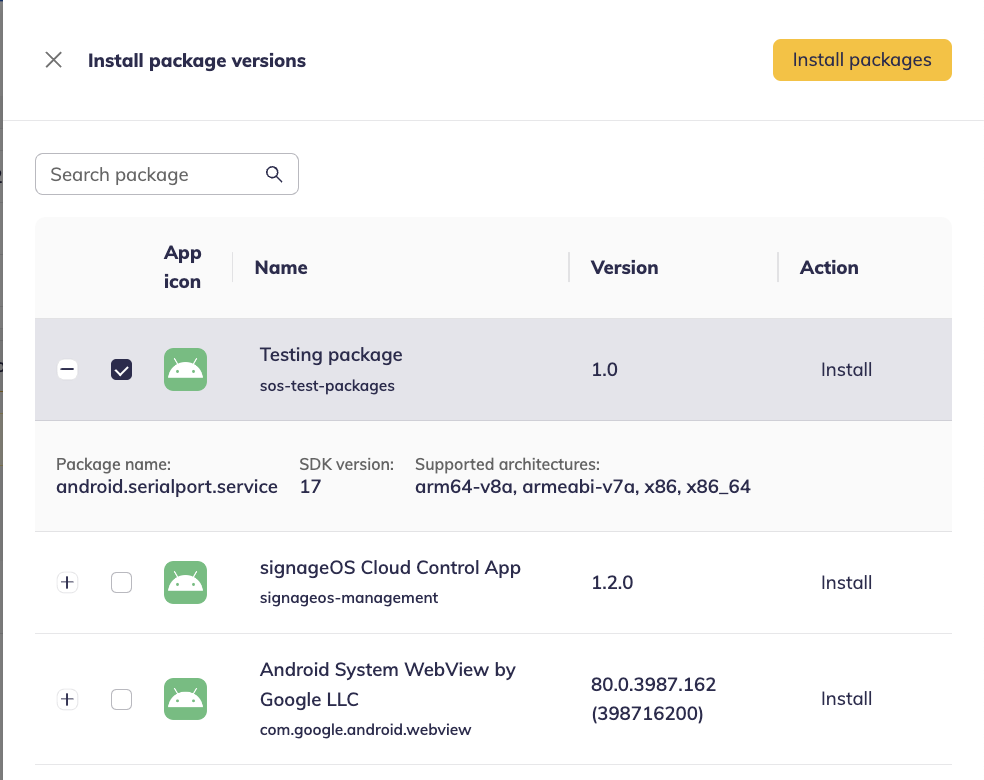
Once you click on Install package button available packages will be listed on a panel where you can select multiple or individual packages and see additional information such as description.
Install to multiple devices via Device Policy
- Navigate to Box
- Select Device policies under Organise tab
- Create new Device policy
- Select Packages tab
- Select packages you want to install
- Save your policy
- Navigate to Devices tab
- Select a list of devices
- Assign your Package Device policy
