Time
Configuration
- Device reports its current time and timezone
- User can remotely configure:
- Timezone
- NTP server
- signageOS automatically checks if the time reported by device is correct
- DST is handled automatically based on selected timezone
Read more about device specific behavior:
Time in Box
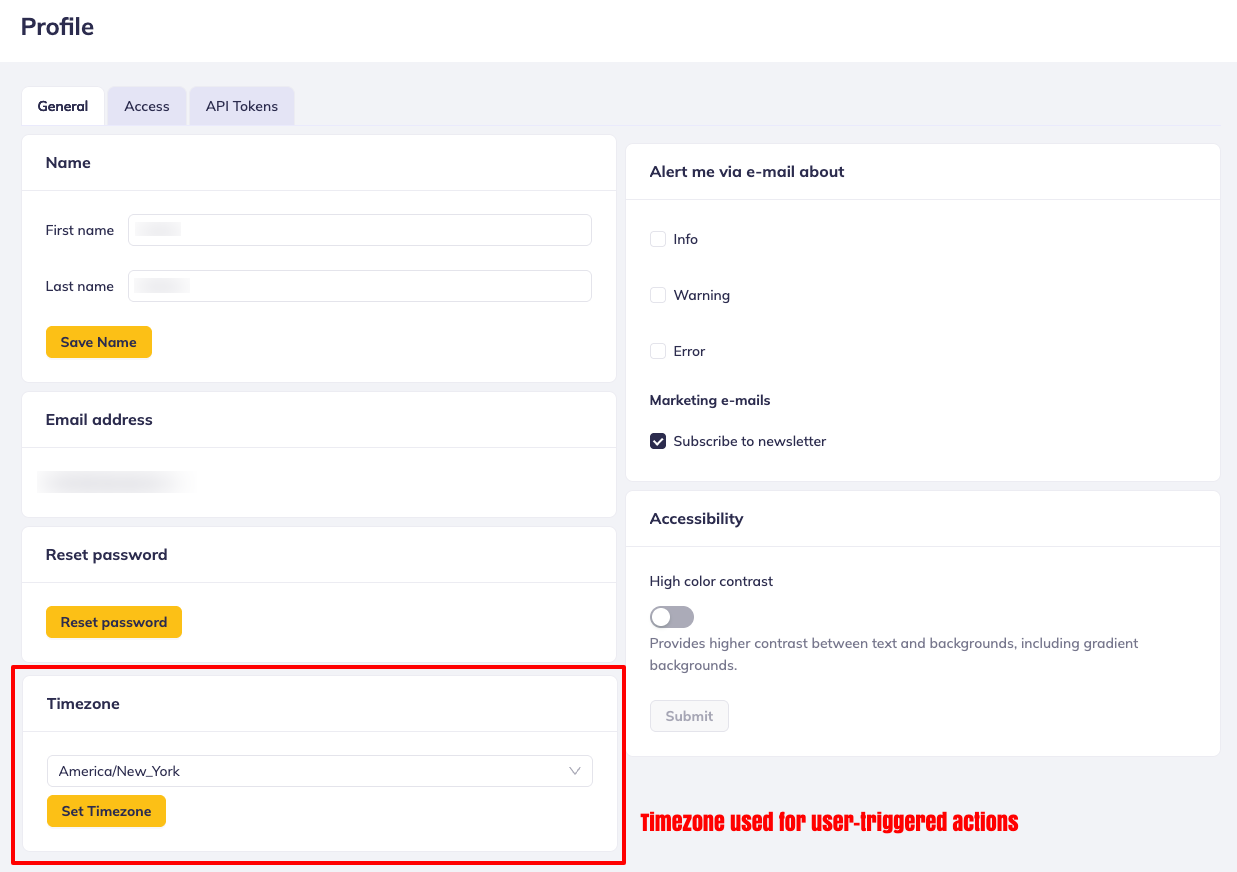
Time of user actions and device information is present across the UI. Box handles them as follows:
- All user-invoked actions are shown in UTC timezone OR in the timezone selected on the user profile.
- All device-related and device-reported data are in the device timezone
Incorrect Time Detection
signageOS automatically checks whether a device's clock is synchronized correctly and exposes this information via the incorrectTime flag. This flag is available in the device REST API response and in DATETIME telemetry data.
How It Works
A device's time is considered incorrect when either of the following conditions is detected:
- Timezone mismatch — the timezone previously configured on the device differs from the timezone the device is currently reporting
- Time deviation — the device-reported timestamp differs from the server time by more than ±10 minutes
The check is performed server-side whenever the device reports its current time, so the result is consistent and reliable regardless of the client querying it.
Viewing Incorrect Time in CloudControl
When a device has incorrect time, a warning indicator is shown on the device detail page in the Info tab and the Troubleshooting tab. This flag is computed by the signageOS backend to ensure consistent detection across all interfaces.
Using the REST API
Device Response
The incorrectTime flag is included in the currentTime object of the device response:
GET /v1/device/{deviceUid}
{
  "currentTime": {
    "requestTime": "2026-05-05T12:00:00.000Z",
    "time": "2026-05-05T12:01:30.000Z",
    "timezone": "Europe/Prague",
    "updatedAt": "2026-05-05T12:01:30.000Z",
    "incorrectTime": true
  }
}
Filtering Devices by Incorrect Time
You can filter the device list to find all devices with incorrect time:
GET /v1/device?filter[incorrectTime]=true
This is useful for monitoring fleet health and identifying devices that may need attention.
DATETIME Telemetry
The incorrectTime flag is also included in DATETIME telemetry entries, allowing you to track the history of time synchronization issues:
GET /v1/device/{deviceUid}/telemetry/DATETIME/latest
{
  "type": "DATETIME",
  "data": {
    "timezone": "Europe/Prague",
    "ntpServer": "pool.ntp.org",
    "incorrectTime": false
  },
  "createdAt": "2026-05-05T12:01:30.000Z"
}
SDK
The incorrectTime flag is available in the signageOS SDK type definitions:
// Device response
device.currentTime.incorrectTime; // boolean | undefined

// DATETIME telemetry
telemetry.data.incorrectTime; // boolean | undefined
Use the filter[incorrectTime]=true query parameter to proactively monitor your device fleet for time synchronization issues. Incorrect device time can affect scheduled content playback and power actions.