Allow cleartext on Android devices
Developer Options
Developer Options are a way of controlling Core App or Cloud Control behavior per device.
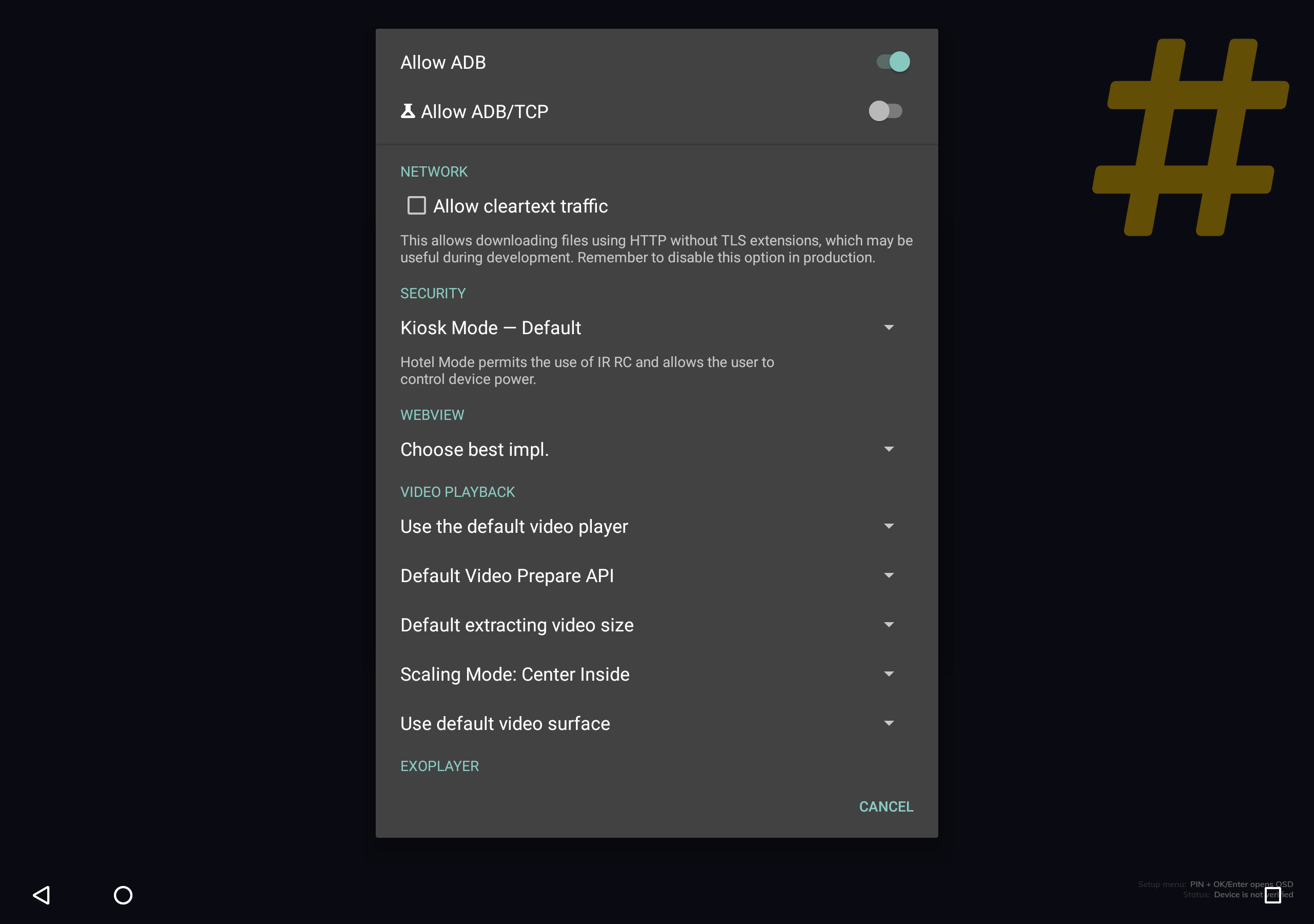
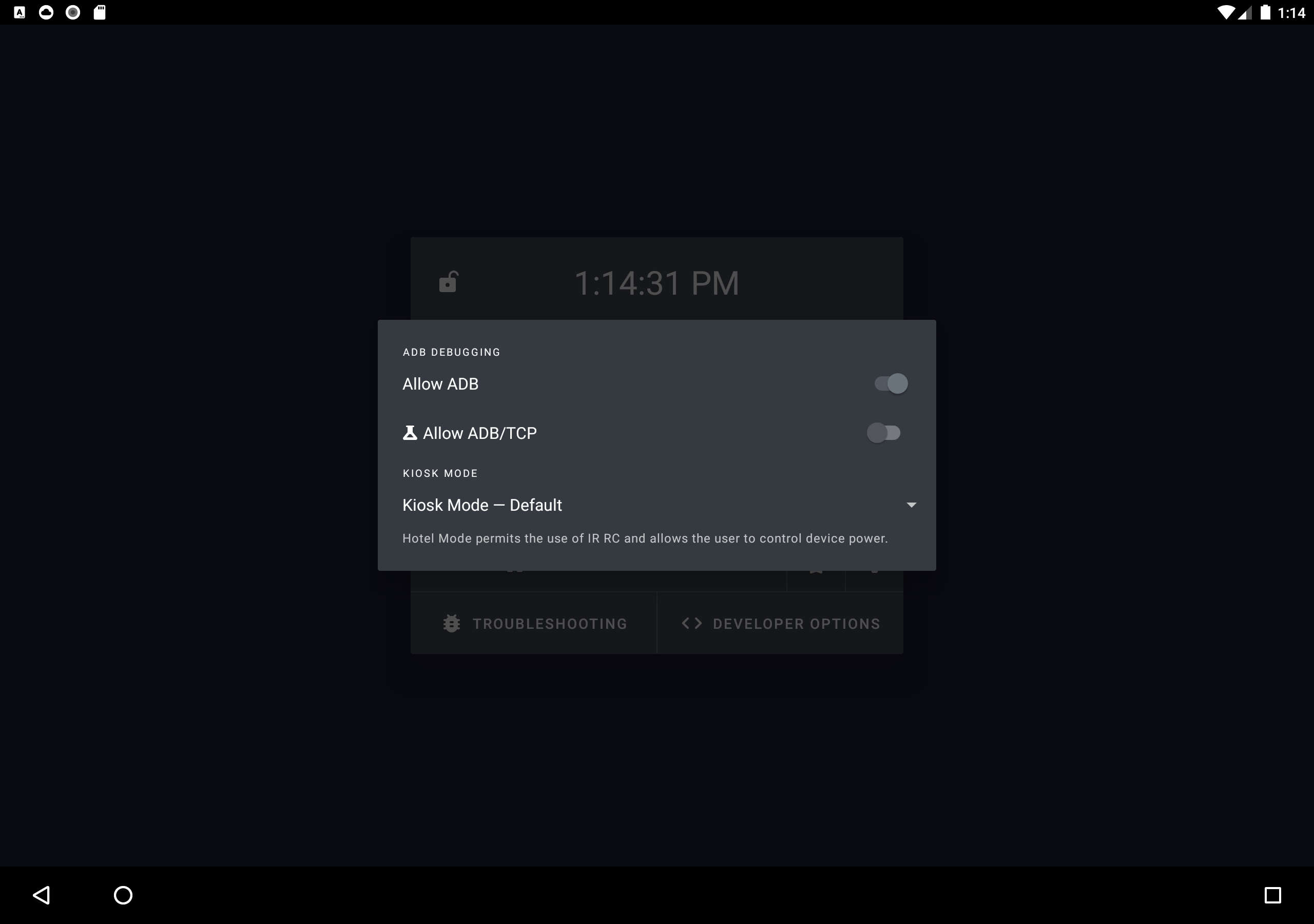
In-app interactive assignment
All supported developer options can be controlled within the app's Developer Options dialog. You'll be asked to confirm changes by restarting the app.
Auto-provisioning from USB
Developer options can be set on your behalf during application setup from an external storage. The drive must contain signed sos.dev.*.jar files specifying the desired set of developer options. We've prepared these files with popular sets of options for your convenience:
| Feature | Link | Requirements |
| Allow cleartext traffic | Download link | CoreApp for Android 4.5.0+ |
| Hotel Mode | Download link | CoreApp for Android 4.5.0+ |
| Allow cleartext traffic Hotel Mode | Download link | CloudControl for Android 2.3.0+ CoreApp for Android 4.3.0+ |
| Accept third-party cookies | Download link | CoreApp for Android 4.5.0+ |
| Allow mixed content | Download link | CoreApp for Android 4.5.0+ |
Manual assignment using ADB
Developer options can be queried and modified using the content ADB command. The app will restart automatically to apply new developer options.
Supported version notice
This feature requires Core App for Android 4.4.0 or Cloud Control for Android 2.4.0 or newer.
Multiple quotes are an essential part of an argument that contains spaces. The command is interpreted by your shell and then by the ADB shell.
# print the current values of all supported developer options adb shell content query --uri "content://io.signageos.cc.dev/options"
print the current value of a single developer option
adb shell content query --uri "content://io.signageos.cc.dev/options/KIOSK_MODE_POLICY"
print current values of a set of developer options
adb shell content query --uri "content://io.signageos.cc.dev/options" --where "'name in (KIOSK_MODE_POLICY, ALLOW_CLEARTEXT_TRAFFIC)'"
reset a single developer option to its default value
adb shell content delete --uri "content://io.signageos.cc.dev/options/KIOSK_MODE_POLICY"
reset a set of developer options to their default values
adb shell content delete --uri "content://io.signageos.cc.dev/options" --where "'name in (KIOSK_MODE_POLICY, ALLOW_CLEARTEXT_TRAFFIC)'"
set a single developer option to a specified value
adb shell content update --uri "content://io.signageos.cc.dev/options/KIOSK_MODE_POLICY" --bind "value:s:KIOSK_AS_HOTEL"
set a set of developer options to specified valeus
adb shell content update --uri "content://io.signageos.cc.dev/options" --bind "KIOSK_MODE_POLICY:s:KIOSK_AS_HOTEL"
Reference
Kiosk Mode Policy
| KIOSK_MODE_POLICY | How Kiosk Mode is interpreted |
| DEFAULT (default) | Kiosk Mode prevents the user from leaving the app and disables the remote control. |
| KIOSK_AS_HOTEL | Kiosk Mode is interpreted as Hotel Mode. Hotel Mode prevents the user from leaving the app. The remote control remains enabled allowing the user to control volume and power freely. |
Allow cleartext traffic
| ALLOW_CLEARTEXT_TRAFFIC | Whether to allow cleartext traffic (HTTP) in the HTML app, File System API, and Video/Stream Player API |
| NO (default) | Cleartext traffic is NOT allowed. |
| YES | Cleartext traffic is allowed. This may be useful during development or in closed environments. This option is not recommended for production. |
Video Player Engine
| VIDEO_PLAYER_ENGINE | Which platform player API to use for video playback. |
| DEFAULT (default) | The best video player API will be chosen automatically based on internal testing. |
| MEDIA_PLAYER | Always use Android MediaPlayer API for video playback. |
| EXO_PLAYER | Always use AndroidX Media3 API (previously ExoPlayer) for video playback. |
Accept third-party cookies
| WEBVIEW_ACCEPT_THIRD_PARTY_COOKIES | Whether web pages loaded from HTML app can access each others cookies. |
| YES | Web pages are allowed to read third-party cookies. This option exposes web pages to Session Hijacking. |
| NO (default) | Third-party cookies are blocked. This option requires Android 5 or newer. |