Download the Firmware based on the supported device model
Copy the update.zip file in the root folder of a USB flash drive formatted to FAT32
****NOTE: Do NOT unzip the file!
Turn on the display
Plug the USB flash drive into the device
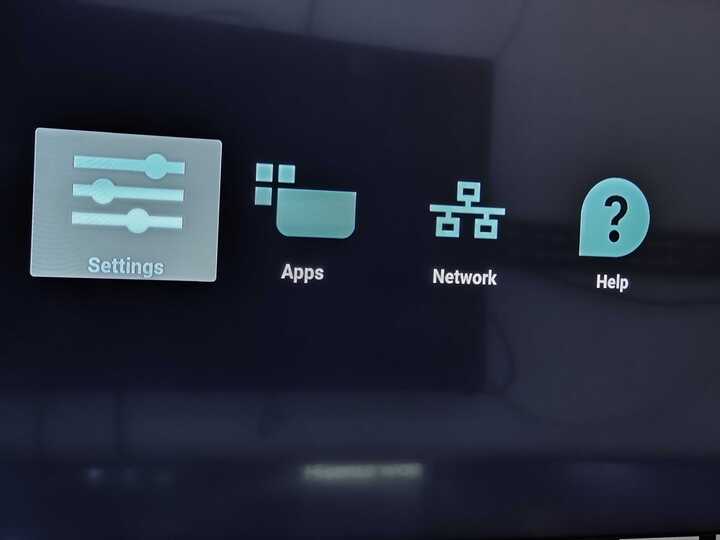
On the device, press in sequence “HOME, 1, 8, 8, 8” to enter the Admin Mode.
*NOTE: In the case ofBDL4151Tand24BDL4151T***,*** ***press in sequence the rounded button and the volume down button behind the display
Click “Settings”
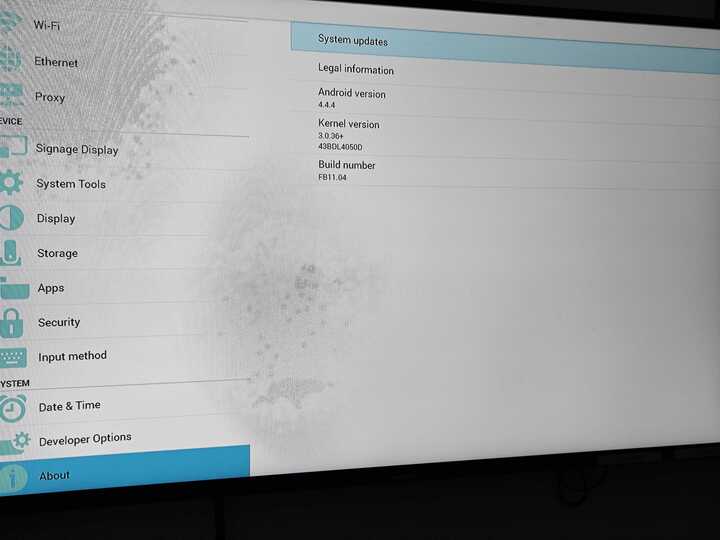
Based on the device, either select “Signage Display” or “About”, then select “System Updates”
If a selection between "Local" and "Remote" comes up, select “Local Update”
Select the “update.zip” file from the list and press OK
The device will reboot to perform the update and reboot again once the update is finished
Perform a Factory Reset on the device
Once Factory Reset and the following Initial Setup are finished, check the firmware version on the device in the Settings