Browser (WebKit and Chromium) versions by each Platform
We strongly recommend downloading and using the same version of Chromium that is used on the devices for which you are developing. If you will run the Emulator using the correct version you will speed up your development. Also, the Native debug depends on the same Chrome/ium version as is on the device (applicable for LG webOS).
There is no option to change the built-in version of Chrome/Chromium on the majority of platforms. The way how to approach this problem is to use polyfills and compile the JS app to ES5. Many essential features like file system, video playback, and others are covered by signageOS JS API and are standardized across all platforms.
Looking for an older Chrome(ium) version to test your Applet?
| OS | link |
|---|---|
| Linux | link |
| macOS | link |
| Windows 64-bit | link |
Chromium version per platform
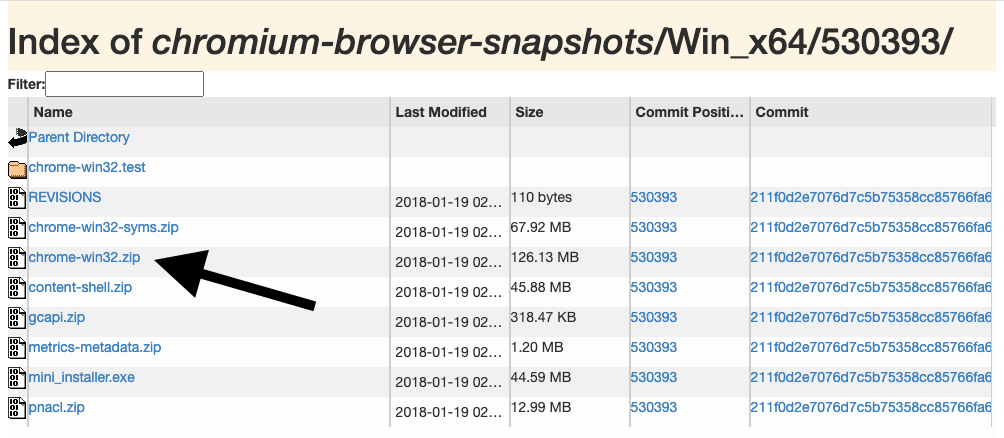
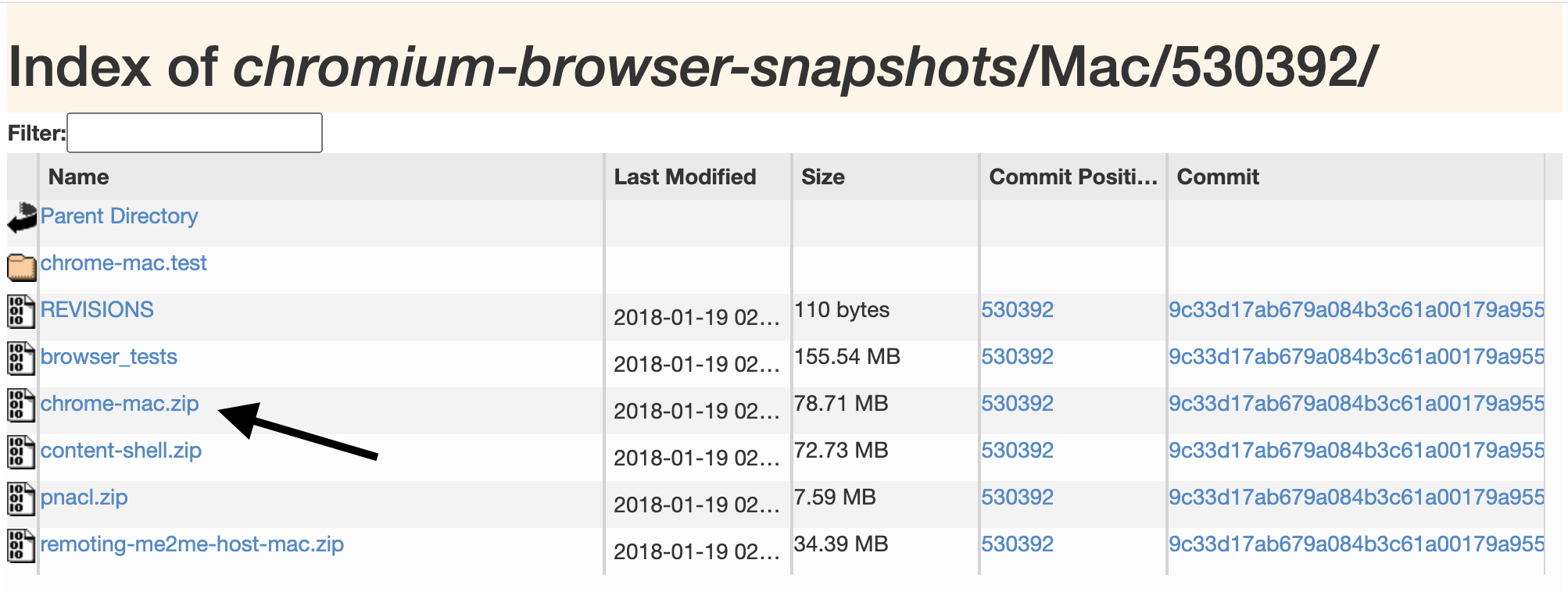
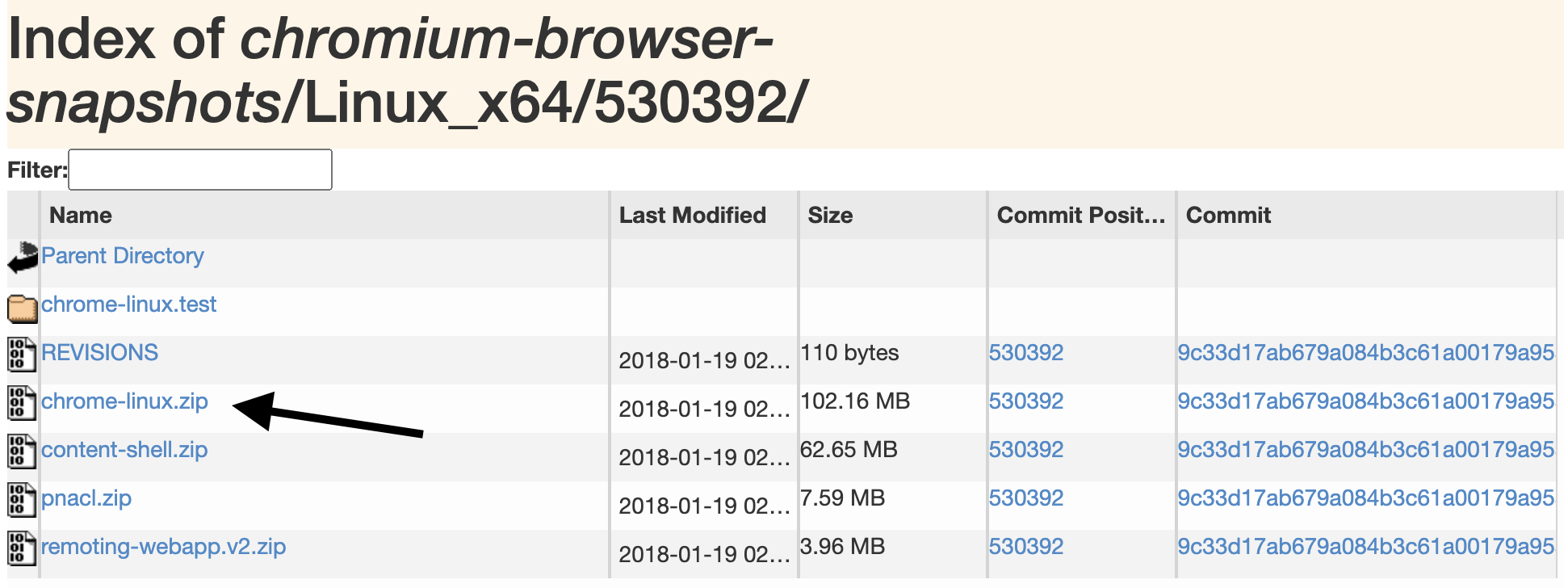
Depending on your OS, you should select the .zip file containing the installation, as example:
- Windows - download the chrome-win32.zip
- MacOS - downlad the chrome-mac.zip
- Linux - download the chrome-linux.zip
| Platform | Webkit/Chromium version | Updatable | Windows | MacOS | Linux |
|---|---|---|---|---|---|
| SSSP2 | Webkit ~ Chromium 32 | No | -- | ||
| SSSP3 | Webkit ~ Chromium 32 | No | -- | ||
| Tizen 2.4 | Webkit ~ Chromium 38 | No | link (Windows only) | link | link |
| Tizen 3.0 | Webkit ~ Chromium 47 | No | link (Windows only) | link | link |
| Tizen 4.0 | Chromium 56 | No | link | link | link |
| Tizen 5.0 | Chromium 63 | No | link | link | link |
| Tizen 6.5 | Chromium 86 | Yes, by FW upgrade in the future | link | link | link |
| Tizen 7.0 | Chromium 94 | Yes, by FW upgrade in the future | link | link | link |
| webOS 1 | Webkit ~ Chromium 32 | No | |||
| webOS 2 | Webkit ~ Chromium 32 | No | |||
| webOS 3 | Chromium 38 | No | link (Windows only) | link | link |
| webOS 3.2 | Chromium 38 | No | link (Windows only) | link | link |
| webOS 4.0 | Chromium 53 | No | link | link | link |
| webOS 4.1 | Chromium 53 | No | link | link | link |
| webOS 6.0 | Chromium 79 | Yes, by FW upgrade in the future | link | link | link |
| Android 4.4 | Webkit ~ Chromium 30/33/53 | No | |||
| Android 5 | Chromium 37, upgradable up to 95 | Yes | link (Windows only) | link | link |
| Android 5.1 | Chromium 39, upgradable up to 95 | Yes | link (Windows only) | link | link |
| Android 6 | Chromium 44, upgradable up to 106 | Yes | link (Windows only) | link | link |
| Android 7 | Chromium 51, upgradable up to 119 | Yes | link (Windows only) | link | link |
| Android 7.1 | Chromium 52, upgradable up to 119 | Yes | link (Windows only) | link | link |
| Android 8 | Chromium 58, upgradable to recent versions | Yes | link | link | link |
| Android 8.1 | Chromium 61, upgradable to recent versions | Yes | link | link | link |
| Android 9 | Chromium 66, upgradable to recent versions | Yes | link | link | link |
| Android 10 | Chromium 74, upgradable to recent versions | Yes | link | link | link |
| Android 11 | Chromium 83, upgradable to recent versions | Yes | link | link | link |
| Android 12 | Chromium 91, upgradable to recent versions | Yes | link | link | link |
| Android 12L | Chromium 95, upgradable to recent versions | Yes | link | link | link |
| Philips D-line (legacy Android 4.4) | Webkit ~ Chromium 33 | No | |||
| Philips P-line (legacy) | Chromium 46, upgradable to 62 | Yes | link | link | link |
| Philips xyz-line (2020+) | Chromium 82, upgradable to 118 | ||||
| BrightSign FW 7.x | Chromium 45 | Yes by FW | link | link | link |
| BrightSign FW 8.0.x | Chromium 65 | Yes by FW | link | link | link |
| BrightSign FW 8.4.x, 8.3.x, 8.2.x, 8.1.x | Chromium 69 | Yes by FW | link | link | link |
| BrightSign FW 8.5.x, 9.0x | Chromium 87 | Yes by FW | link | link | link |
| BrightSign FW 9.0.145.1+ | Chromium 87, upgradable to Chromium 110 | Yes by FW | |||
| Sharp (legacy) | Webkit ~ Chromium 33 | No | |||
| Sharp 2024 | Chromium 87, upgradable to 118 | Yes | |||
| Panasonic AF1 | Webkit ~ Chromium 33 | No | |||
| BenQ SL-line | Webkit ~ Chromium 33 | No | |||
| NEC Technoware | Chromium 46, upgradable to 62 | Yes | link | link | link |
| Raspberry Pi 3 / NEC Compute Module 3 | Webkit 78 (2.29.3) | No | |||
| Raspberry Pi 4 / NEC Compute Module 4 | Chromium 91 | Yes | link | link | link |
Android-specific behavior
signageOS Core App attempts to automatically install WebView v85 during the initial provisioning. You can update to other/later versions via the Package upgrade function.
Browser, WebView, HTML resolution
Most devices only support HTML5 only in the FullHD resolution due to HW performance limitations. This is because UHD browser rendering requires high computation.
Devices that are supporting UHD+ resolution for HTML5 are:
- Windows 10/11 devices with Intel i5 and above (or similar AMD CPU)
- Linux Fedora or Ubuntu
This limitation applies to any SoC device, despite the fact they might feature a UHD display.
While HTML5 canvas is always FullHD, you can still play UHD videos using JS API that leverages an accelerated native video player and allows you to play the content outside of HTML5.
References to specific documentation:
BrightSign docs:
https://brightsign.atlassian.net/wiki/spaces/DOC/pages/370672286/HTML+Best+Practices
Android docs:
- Track Chromium releases https://blog.chromium.org/
- Download WebView APK https://www.apkmirror.com/apk/google-inc/android-system-webview/
- Check supported Web features https://developer.mozilla.org/
- About Chromium-based WebView https://developer.chrome.com/docs/multidevice/webview/
- PSA: Android KitKat Support is now deprecated in the Chromium code base https://groups.google.com/a/chromium.org/g/chromium-dev/c/p1nOzmB2zig/m/aMb8SaRbAwAJ
- PSA: Support for Android Lollipop is deprecated in the Chromium code base* https://groups.google.com/a/chromium.org/g/chromium-dev/c/2MwR9KqwY9I/m/zpJ-fksqBwAJ
- PSA: Android 6.0 Marshmallow support is now deprecated in the Chromium code base https://groups.google.com/a/chromium.org/g/chromium-dev/c/z_RvoPoIeoM/m/ReiTKJpNCgAJ
- PSA: Android Nougat is deprecated in the Chromium code base https://groups.google.com/a/chromium.org/g/chromium-dev/c/B9AYI3WAvRo/m/lBeWzrBFBQAJ