Tizen Deployment and Provisioning via MagicInfo
Important
For MagicInfo Premium customers, please submit a support ticket for more info
Samsung MagicInfo/RM Server is a software that allows one to remotely connect and set up Samsung SoC-enabled devices.
If you want to deploy signageOS CoreApp (with your bundled Applet) to existing fleet of devices connected to the MagicInfo / RM server, follow these steps:
1. Login to your MagicInfo instance
2. Locate devices which you want to deploy signageOS to
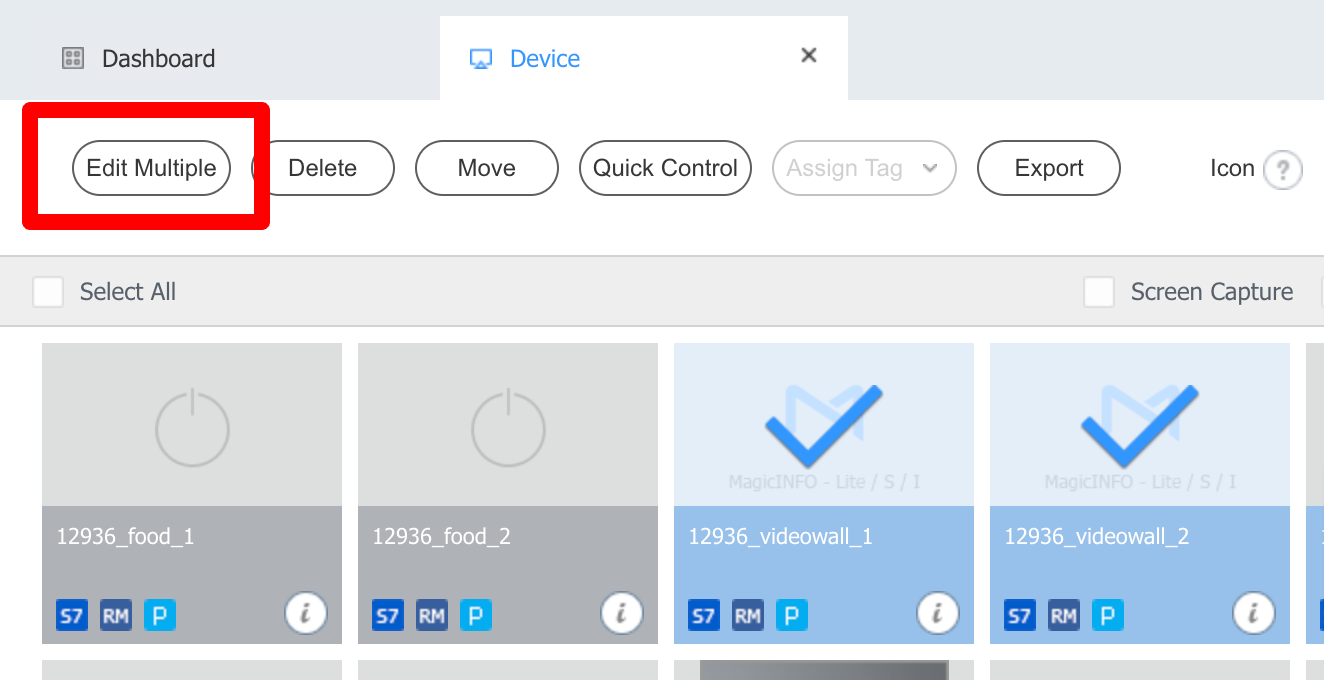
3. Click Edit/Edit Multiple
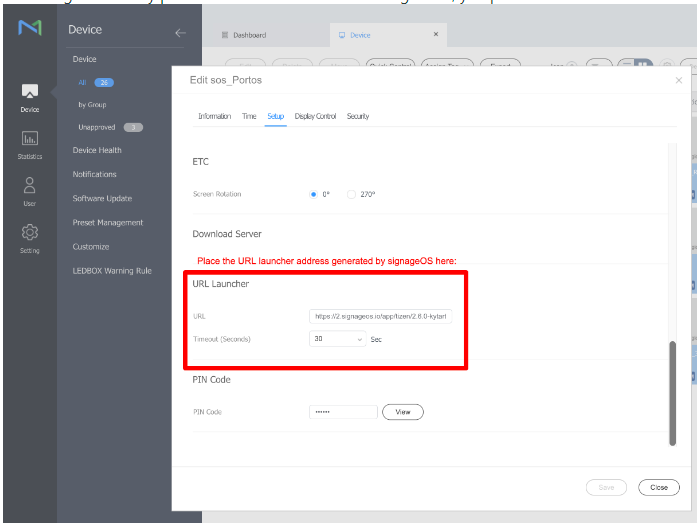
4. Go to Setup tab
5. Fill in the URL to the signageOS Core App (e.g.: https://t.signageos.io, https://9900.io/xxYYzz) to the URL Launcher input
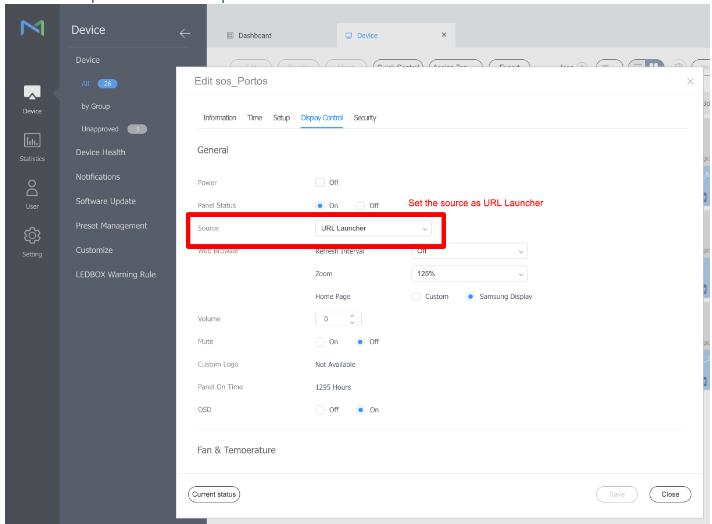
6. On the Display Control tab adjust Change Source to URL Launcher
7. Save and close; devices will download the application and reboot
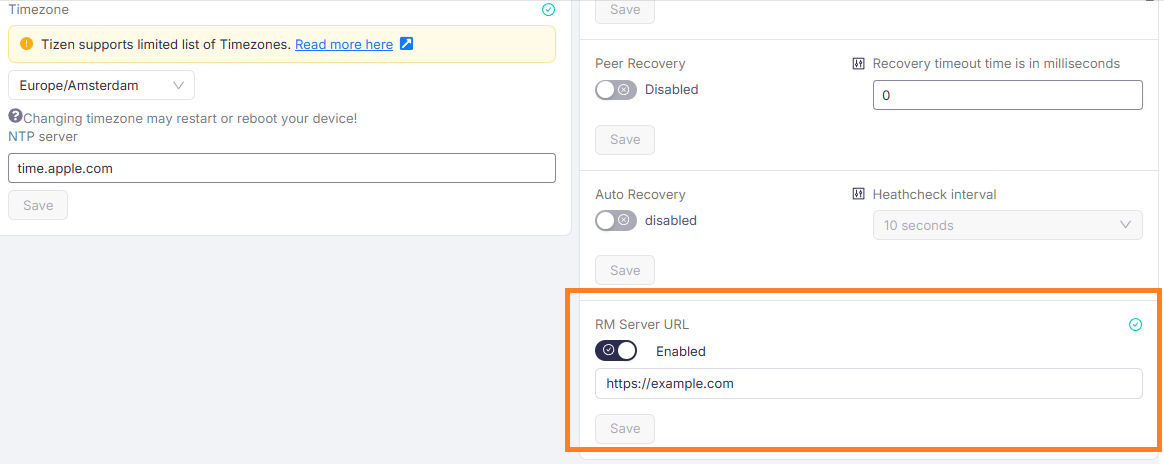
After installing signageOS, MagicInfo connection settings in the display will be disabled by default and it needs to be re-configured from our signageOS side.
To do so please go to device settings page and set RM Server Url with your MagicInfo server URL
These steps can be programmatically automated by using MagicInfo API and the last step via our REST API